
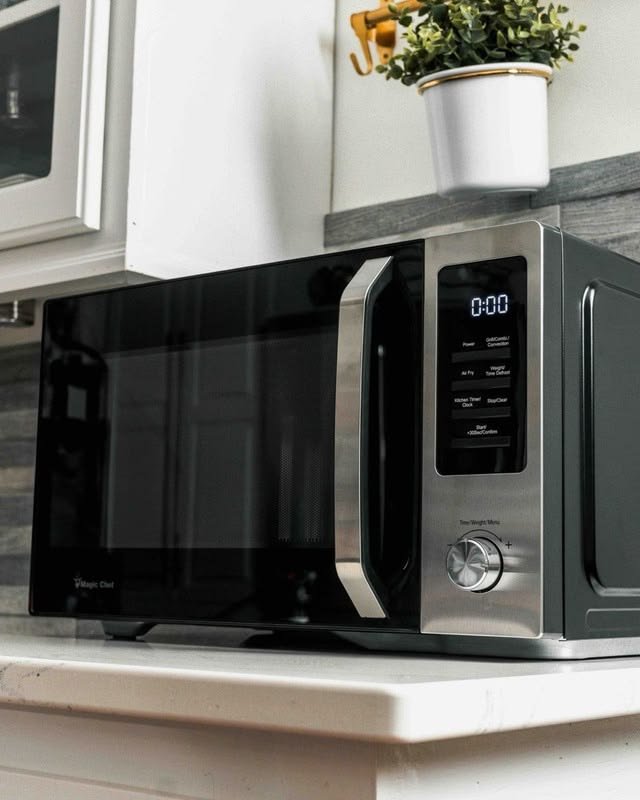
Have you ever pressed the Start button on your microwave and nothing happened? It can be confusing when the display is working normally but the microwave simply refuses to respond.
If you’re wondering, why is my microwave not working when I press the button?, the cause may be something simple, such as an activated control lock, a door that is not closing properly, or a temporary control-panel glitch. In other cases, the keypad, touchpad, door switch, or electronic control may need professional attention.
Before assuming your microwave needs to be replaced, there are several safe things you can check.
Why Is My Microwave Not Responding When I Press the Buttons?
If you’re asking why is my microwave not responding when I press the buttons, start by looking at how the appliance behaves when you press different controls.
Several issues can cause an unresponsive microwave keypad, including:
- Control lock or child lock is activated
- Dirty or damp control panel
- Microwave door is not closing correctly
- Start button or another keypad button is damaged
- Temporary electronic control glitch
- Faulty touchpad or membrane keypad
- Control board problem
- Power interruption
For example, if the display is working but none of the buttons respond, the control lock or keypad may be involved. If other buttons work but the Start button does not, the problem may be more specific to the Start control or the system that verifies the door is closed.
Manufacturers such as LG and Samsung recommend checking the control lock, cleaning the control panel, checking the door, and performing a power reset before requesting service.
Why Is My Microwave Start Button Not Working?
If you’re specifically wondering why is my microwave start button not working, check whether other buttons respond.
If the number buttons, timer, or other controls work but pressing Start does nothing, possible causes include:
- The microwave does not recognize that the door is closed
- Control lock is active
- The Start button is worn or damaged
- The touchpad is failing
- The control board is not registering the command
A door problem can be particularly important. Microwaves use door-interlock systems as part of their operating safety system. If the appliance does not recognize the door as properly closed, it may prevent a cooking cycle from starting.
Check the door for food, packaging, or other objects preventing it from closing fully. Clean away visible residue around the door and latch area, then close the door firmly without slamming it. LG specifically recommends checking the door when only the Start button appears not to work.
What Should You Check Before Repairing a Microwave?
Before trying to repair anything, determine exactly what the microwave is doing.
Check the Display
Is the display completely blank, or is it working normally?
If the display is blank, check whether the microwave is receiving power. You can also check the home’s electrical panel for a tripped breaker.
If the display works but the buttons do not respond, the problem is more likely related to the control system.
Check the Control Lock
Many microwaves have a child lock or control-lock feature that prevents the keypad from operating normally.
Look for a lock symbol, “LOCK,” or another indicator on the display. The procedure for disabling the lock varies between models, so check your owner’s manual for the correct button combination.
Check the Door
Make sure nothing is preventing the microwave door from closing completely.
Look around the door and latch area for food particles or other obstructions. If the door is damaged or does not latch properly, don’t force it.
Test Several Buttons
Try a few different buttons.
If every button is unresponsive, the control lock, power supply, or control panel may be involved.
If only one or two buttons fail, a problem with the keypad or touchpad becomes more likely.
How to Fix Microwave Buttons That Are Not Working
If you’re looking for how to fix microwave buttons that are not working, begin with simple checks rather than taking the appliance apart. It’s also important to learn how to repair a microwave that is not heating, since a microwave may have working buttons but still fail to heat food because of issues with the door switch, magnetron, diode, capacitor, or other internal components.
Clean the Control Panel
Grease, food residue, or moisture can interfere with some touch-sensitive control panels.
Turn the microwave off and gently clean the control panel with a soft cloth. Avoid spraying cleaning products directly onto the controls, and make sure the panel is dry before testing it again.
Samsung recommends cleaning and drying the control panel when its microwave controls do not respond.
Check the Control Lock
If the control lock is enabled, pressing the buttons may appear to do nothing.
Use your model’s owner’s manual to find the correct unlock procedure. Avoid guessing button combinations because lock controls differ between manufacturers and models.
Check Whether a Button Is Physically Stuck
A button should not normally require excessive force.
If one button feels stuck, unusually hard to press, or works only when you press it very firmly, don’t force it. Continued pressure can make a damaged keypad worse.
Try a Power Reset
A temporary electronic problem can sometimes make a control panel unresponsive. A safe power reset may restore normal operation.
However, a reset will not repair a physically damaged keypad or failed control component.
How to Reset a Microwave When Buttons Are Not Working
If you want to know how to reset a microwave when buttons are not working, the exact procedure depends on the model.
For many household microwaves, manufacturers recommend disconnecting power for a short period and then restoring it. LG recommends unplugging its microwave for about two to three minutes for an unresponsive keypad, while Samsung recommends a power cycle of about one minute on applicable models. Whirlpool also recommends removing power briefly when troubleshooting a Start-button issue.
A general approach is:
- Stop using the microwave.
- Disconnect power according to the manufacturer’s instructions.
- Wait for the recommended period.
- Restore power.
- Check whether the display and buttons respond.
- Test the microwave using the manufacturer’s normal operating procedure.
If the buttons remain unresponsive after the reset, the problem may require service.
Do not remove the microwave’s outer cover to troubleshoot the controls yourself. Internal microwave components can present serious electrical hazards even after the appliance has been unplugged.
Why Is My Microwave Not Responding to the Start Button?
If you’re asking why is my microwave not responding to the start button, first determine whether the other buttons work.
If no buttons respond
Check the control lock, display, power supply, and control panel.
If other buttons work
If the number keys and other controls respond but Start does not, inspect the door closure and latch area. The microwave may not allow a cooking cycle to begin if it does not detect the door as properly closed.
If the microwave starts but does not heat
That’s a different problem from an unresponsive Start button. A microwave that runs but does not heat may have a problem elsewhere in its operating system and should be diagnosed separately.
Avoid opening the appliance to investigate internal components. A qualified technician can determine whether the problem is with the keypad, control board, door interlock, or another component.
What Should I Do If My Microwave Suddenly Stops Working?
If you’re wondering what should I do if my microwave suddenly stops working, don’t immediately assume the appliance has completely failed.
Start with these checks:
- See whether the display is working.
- Check the power connection.
- Check the circuit breaker if appropriate.
- Look for a control-lock indicator.
- Test several buttons.
- Make sure the door closes and latches properly.
- Clean and dry the control panel.
- Try the manufacturer’s recommended power reset.
Pay attention to unusual symptoms.
Stop using the microwave if you notice smoke, burning odors, sparks, a damaged power cord, unusual electrical behaviour, or a control panel that activates by itself. Samsung specifically advises service when a control panel behaves unpredictably or activates without being touched.
Common Reasons a Microwave Button Stops Working
A microwave’s buttons can become unresponsive for different reasons, and the symptoms can help narrow down the problem.
Control Lock
This is one of the easiest problems to overlook. The microwave may have power and a working display while the controls remain locked.
Dirty or Damp Keypad
Grease, food residue, or moisture can interfere with touch-sensitive controls.
Worn Keypad
Frequently used buttons, especially Start, Stop, or number keys, can eventually wear out.
Door Interlock Problem
If the microwave does not recognize that the door is safely closed, it may prevent operation.
Control Board Failure
The electronic control board communicates with the keypad and other microwave systems. If it develops a fault, several buttons may stop responding.
Power or Electronic Glitch
A temporary power interruption or electronic communication problem can sometimes cause the controls to freeze. A manufacturer-approved reset may resolve a temporary issue.
When Should You Call a Microwave Repair Professional?
Simple troubleshooting is useful, but there is a point where it’s better to stop and have the microwave professionally diagnosed.
Consider professional repair if:
- The keypad remains unresponsive after a reset
- Only the Start button consistently fails
- The control panel behaves unpredictably
- The microwave starts by itself
- The door does not latch properly
- The microwave repeatedly trips the breaker
- There is visible electrical damage
- You smell burning
- You see sparks
- The problem keeps returning
If the control panel still does not respond after basic troubleshooting, manufacturers recommend service rather than continued DIY repair.
If the microwave continues to have control problems after basic troubleshooting, a licensed appliance repair company can safely diagnose whether the issue is with the keypad, control panel, door switch, or another internal component.
How to Prevent Microwave Button Problems
A few simple habits can help keep your microwave controls working properly.
Keep the control panel clean and dry, and avoid spraying cleaner directly onto it. Use gentle pressure when operating the buttons instead of repeatedly pressing them harder.
Close the door carefully rather than slamming it. Keep food and packaging away from the latch area, and clean spills promptly.
If the microwave develops a problem with a button, door, or control panel, address it before the issue becomes more disruptive.
Following the manufacturer’s cleaning and operating instructions is also important because control-panel designs and functions differ between microwave models.
Final Thoughts
When a microwave does not work after you press a button, the cause may be something simple rather than a major appliance failure. Start by checking the power, control lock, keypad, and door.
If the microwave still does not respond, don’t keep pressing the buttons harder or attempt to open the appliance. A faulty keypad, door interlock, control panel, or electronic component may require professional diagnosis.
Knowing why is my microwave not working when I press the button can help you troubleshoot the easy problems safely and recognize when it’s time to have the appliance professionally inspected.
Frequently Asked Questions
Why is my microwave not responding when I press the buttons?
A microwave may stop responding because the control lock is active, the control panel is dirty or damp, the door is not closing correctly, or the keypad or electronic control has developed a fault. Start with the control lock, door, keypad, and power reset checks.
Why is my microwave start button not working?
The Start button may not work because the control lock is enabled, the door is not being recognized as closed, or the keypad or control system has a problem. If other buttons work but Start does not, pay particular attention to the door and Start control.
How do I fix microwave buttons that are not working?
Check the control lock, clean and dry the control panel, make sure the door closes properly, and perform a manufacturer-approved power reset. If the controls remain unresponsive, professional diagnosis may be necessary.
How do I reset a microwave when buttons are not working?
Follow the reset instructions for your specific microwave. Many manufacturers recommend disconnecting power for a short period and then restoring it. The exact time and procedure vary by model.
Why is my microwave not responding to the Start button?
If other buttons work but Start does not, check whether the door is closing and latching properly and whether the control lock is active. If those checks do not help, the Start keypad or control system may require service.
What should I do if my microwave suddenly stops working?
Check the power supply, display, control lock, door closure, and keypad. Try the manufacturer’s recommended reset procedure. Stop using the microwave if you notice sparks, smoke, burning odors, damaged wiring, or unusual control behaviour.